The first I heard of the Novatel Wireless (NVTL) MiFi 3G modem/router, I realized how big an impact it could make with my mobile work. The only negative was that I am a longtime Verizon 3G customer and I needed a version from them. You can understand my excitement when I heard that
Verizon would be releasing their branded version of the MiFi on May 17, and that excitement was increased when the good folks at Verizon asked if I wanted to get an early look at it. I’ve only had the Verizon MiFi 2200 Intelligent Mobile Hotspot for a day, but I can state emphatically it is everything I thought it would be and more. The MiFi is mobile broadband done right. Read on to see why I am definitely buying one of these.
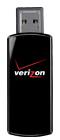
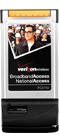
I have been using Verizon 3G service for years. I started with a PC Card modem, migrated to an ExpressCard solution, and most recently I switched to a USB modem (USB727). These have all worked fine, but a little limiting for me given the multiple devices I use while mobile. These all require the Verizon Access Manager software to be installed on each laptop so the modem can be used. The process with a new device is to download and install the Access Manager, unless the software is already included on the device. In that case, you still need to install the software. This process installs all of the modem drivers for the given notebook. Once everything is installed, connections can be manually started as desired once the modem is inserted into the system. It’s not bad for a one-shot process, but it’s a pain given all the various notebooks and UMPCs I evaluate.

The Verizon MiFi is a combination 3G modem and Wi-Fi router that is battery-operated for full mobility. Once the MiFi has been activated (more on that later) the device connects to the Verizon Mobile Broadband network (renamed from BroadbandAccess) simply by pushing the power button. In just a few seconds, the MiFi is connected to the 3G high-speed network and the Wi-Fi router takes over. The MiFi appears as a hotspot to any device with Wi-Fi capability, and making the Wi-Fi connection is as simple as entering the network security code which is printed on the back of the MiFi. That’s it: The notebook or other device is now connected to the Verizon network via Wi-Fi. The network code only has to be entered to make the first connection, after which it’s an automatic process. That’s the beauty of the MiFi method: Push the power button and the laptop/UMPC/phone is connected to 3G.
Taking a look at the specs of the MiFi shows just how small yet full-featured this device is:
- Dimensions: 3.5″ x 2.3″ x 0.4″ (90 mm x 60 mm x 8.8 mm)
- Weight: 2.05 ounces (58 g)
- Battery: 1,150 mAh (user replaceable)
- Antennas: internal; 800/1,900 MHz, CDMA (EV-DO Rev. A)
- WiFi: 802.11 b/g
- Usage: four hours (one Wi-Fi client); 40 hours standby; charge time 2.5 hours charger, 7-8 hours USB cable
- LEDs: Power- 4 color; Status- one color
- Connectivity Features: auto connect; EVDO/1xRTT; VPN compatible; dial-up; NDIS support
- Text messaging: VZAccess manager in USB mode required; message received notification; delete/reply/forward
- Security: CDMA authentication; dynamic MIP key update; CHAP; Wi-Fi- WEP/WPA/WPA2-PSK, SPi firewall; MAC/ port filtering; NAPT/DHCP server enable; VPN pass-through
- OSes supported: Windows 2000, XP, Vista; Mac OS X 10.4 or higher

The MiFi is not much bigger than a credit card and can be easily carried around. Verizon is offering three ways to get the 3G data service:
- $39.99 month for 250 MB with $0.10 per MB overage
- $59.99 month for 5 GB with $0.05 per MB overage
- $15 per day with no contract
Those expecting to use the service more than a few days per month will likely want to consider one of the monthly options, but it’s nice to see the day option for those who don’t travel much. The MiFi will be available online and in Verizon stores on May 17 and will cost $99.99 after a $50 rebate. Those who want to go the daily rate route can pick up the MiFi from Verizon for full retail price: $269.99 without a contract.
Getting going with the MiFi
The MiFi ships from Verizon with the device, battery, USB cable, power adapter and cloth carrying pouch. The unit is glossy black, and the pouch can be used to clean fingerprint smudges from the surface. It’s a simple process to open the battery compartment and pop a battery into the MiFi. The next step to get going is to connect the MiFi to the either a Windows or Mac system via the short USB cable. Windows recognizes the MiFi as an EVDO modem and auto-installs all the drivers needed to use the modem via USB. The VZAccess Manager software must be run once to activate the modem and prepare it for use, and it auto-installs from the MiFi. The whole process takes just a few minutes, and the MiFi is ready to go.
The MiFi is designed to be used as a modem via Wi-Fi, and it shows up as a Verizon Secure hotspot to any device. It is encrypted, and the password is printed on the back of the MiFi for one-time entry: After that, the notebook or device will connect automatically like it does to any other Wi-Fi hotspot. It’s simple and hassle-free, which is the strength of the MiFi over traditional modems.
Since the MiFi works as a Wi-Fi router, the Verizon 3G network appears to all devices as a simple hotspot. This means the MiFi can be used with any notebook, netbook, UMPC or phone, with no software required. It is, thus, the only 3G modem solution that has both Wi-Fi and 3G integrated, so it can be used easily by any phone with Wi-Fi capability, and also with Linux-based netbooks, without worrying if drivers are needed. This makes the MiFi the most versatile 3G solution currently available — and why I say it is “mobile broadband done right.”
Up to five devices can share the MiFi connection simultaneously, although they share the single 3G pipe. I have connected three devices with no detectable lag, so I don’t think five would be too heavy a burden for the MiFi. Just remember that the monthly data cap (250 MB or 5 GB) will be tapped by the total throughput, so I wouldn’t have five devices running around the clock. I personally have the 5 GB option with my current Verizon plan, and I don’t see that being a problem with the MiFi.
The MiFi can be used with a USB connection should the battery run out during the day. This requires using the VZAccess Manager program to connect to the network, however, so it will need to be installed on whatever device it is connected to. Remember, this is done automatically when setting up the MiFi, so it’s not a big deal.
The status LED flashes green to indicate data transmit/receive during normal usage. The power button on the MiFi changes among four colors to indicate the following conditions:
- LED not lit — no power to modem
- LED Blue — modem is powered on and roaming
- LED Green solid — modem is powered on and fully charged
- LED Green glowing — modem is in hibernate
- LED Red blinking — modem battery is critically low
- LED Amber solid — modem battery is charging
- LED Amber blinking — modem error, see user manual
The MiFi can be used on Macs without the VZAccess Manager software, according to Verizon, but I did not try that since I had already activated using Windows. It’s a standard Wi-Fi hotspot after activation, so it will work on anything that can access hotspots.
Conclusion

The Verizon MiFi is a simple-to-use 3G method that allows up to five devices to access the 3G network at a time. It is a full-blown Wi-Fi router and can be controlled via a web browser interface the same as any other router. I am able to access the MiFi easily on any device within ~30 feet, farther than that and the signal strength drops dramatically, which is expected for such a small router.
I have been so impressed with the operation of the MiFi I intend to get one as soon as this evaluation unit goes back to Verizon. I feel it is worth the subsidized pricing, and the 5 GB plan is adequate for my needs. Bear in mind I am already paying the $60 per month, so in my case, I am simply going to switch from a USB stick modem to the MiFi. Your needs are likely different, and you need to weigh those needs with the various costs associated with the Verizon plans.